ZdalnaPraca
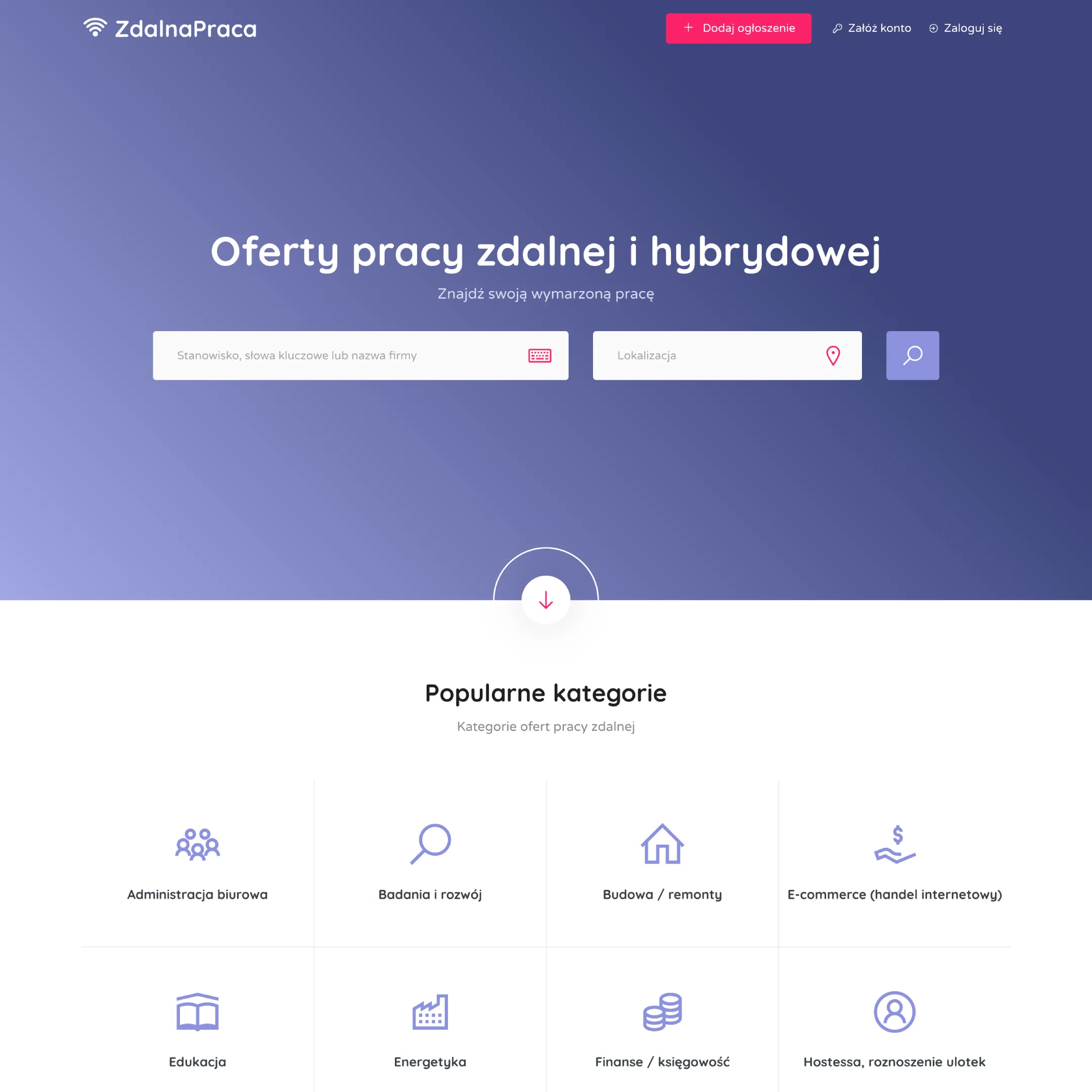
- Company name
- ZdalnaPraca
- Role
- Full-Stack WordPress Engineer
The challenge
ZdalnaPraca required a custom-built ecosystem, not just a job board, but a full hiring platform with role management, payments, and third-party integrations.
- Dynamic job listings with advanced filtering
- Building a high-performance job board that supports search, filtering, and sorting across dataset without compromising page load speed.
- Dual user role
- Designing a system that supports two types of user roles (Employer and Candidate), each with their own registration flows. Employers registering as either an Individual or a Company.
- Multiple application methods
- Enabling employers to choose between different application methods, such as using a CV built directly on the platform, uploading a CV, or redirecting candidates to an external URL.
- Dynamic taxonomy pages
- Generating dynamic archive pages for job categories, location-specific category pages, and standalone location pages, each with their own filtered job listings and SEO-friendly URL structures.
- Social authentication
- Integrating Google and Facebook OAuth login and signup flows while keeping them consistent with the existing dual-role user system.
- Monetization via paywall
- Implementing a paywall system that gates job submission behind a payment.
- Invoicing integration with inFakt
- Integrating the inFakt API with WooCommerce to automate invoice generation for orders for bookkeeping purposes.
- External job aggregation
- Supporting external job listings that redirect users to the original posting, while keeping them visually consistent with the native listings on the platform.
- Performance optimization
- Keeping the platform lightweight and fast despite the complexity of dynamic pages and third-party integrations.
Research & Discovery
Took a structured approach to uncover the most suitable stack before development.
Step 1 : Core plugin selection
Below were the available plugin options to create a full-fledged job board in WordPress.
WP Job Manager
A lightweight job board plugin originally created by Automattic (creator of WP).
Pros
- Free core plugin
- Very developer-friendly
- Strong add-on ecosystem (paid)
- Clean database structure
Cons
- Most advanced features are paid add-ons
- UI is basic
- Paid listings require WooCommerce and add-on
- Scaling requires performance optimization
Simple Job Board
Basic job listing plugin. Simple and modular.
Pros
- Free plugin
- Customizable application form
- Lightweight
- Easy setup
Cons
- Not built for large marketplaces
- No built-in monetization
- Weak add-on ecosystem
- Limited scaling potential
HivePress
Directory style plugin that can be used to build job board via extensions.
Pros
- Free plugin
- Modern architecture
- Clean UI
- Developer-friendly hooks
Cons
- Needs paid extensions
- Smaller ecosystem than WPJM
- Less industry adoption
Fully custom build
No single plugin. Fully custom build from scratch with custom theme and plugins.
Pros
- 100% control
- Scalable
- Clean architecture
- No plugin lock-in
Cons
- More dev time
- Need security hardening
- Higher initial cost
Best choice based on the project requirements: WP Job Manager + selective add-ons OR Fully custom build (WooCommerce + CPT)
Ultimately WPJM with add-ons were chosen for this project.
Step 2 : Theme selection
For theme we have two options either to build custom theme from scratch or choose from existing themes which are compatible with WP Job Manager.
Custom theme gives more flexible but it is time consuming to build one. Whereas using any WPJM compatible theme as a starting point is faster. After analyzing both options, using existing theme was making sense.
There are multiple theme available which are WPJM compatible. We chose Jobhunt theme because:
Built specifically for WP Job Manager
- Fully supports core features: job listings, submissions, dashboards, filters, etc.
- Compatible with WPJM core add-on plugins (Resumes, Paid listings, etc).
- Lightweight and fast
- Supports WPJM paid listings
- Clean & professional job board UI
Technical implementation
ZdalnaPraca is built on WordPress using WP Job Manager as the core job board engine and the Jobhunt theme as the UI foundation. Rather than building everything from scratch, I extended both using a child theme that contains all custom logic in dedicated, single-responsibility PHP classes, keeping the codebase maintainable and safe against plugin updates.
Below is a breakdown of the key systems I built on top of that foundation.
City pages & location-based taxonomy archives
One of the larger SEO-focused features was a system of city-specific job listing pages (one per Polish city), each showing only jobs whose _job_location meta field contains that city's name.
The city pages are powered by a custom post type (city) registered in the child theme. This makes each city manageable from the WordPress admin and allows custom text to be added below the job listings on each city page for future SEO content. Routing is handled via custom rewrite rules that map /city/{slug}/ and its paginated variants to a filter-by-city query var, intercepted in pre_get_posts to inject the location meta_query:
add_rewrite_rule(
    '^city/([^/]+)/?$',
    'index.php?post_type=job_listing&filter-by-city=$matches[1]',
    'top'
);

// In pre_get_posts:
$meta_query = [[
    'key'     => '_job_location',
    'value'   => $city,
    'compare' => 'LIKE',
]];
$query->set('meta_query', $meta_query);
On top of basic city pages, I extended the system into a full taxonomy-in-city structure by adding rewrite rules for both job categories and job tags filtered by city, producing URLs like /job-category/edukacja/city/warszawa/ and /job-tag/hr/city/krakow/. These pages are automatically linked from individual job offer pages, which generate contextual anchor text using Polish locative case inflection (e.g. Edukacja w Warszawie).
Canonical URLs, rel="prev"/rel="next" pagination links, and meta titles for all city and taxonomy-in-city archive pages are managed through a custom extension of Slim SEO, overriding the plugin's default behavior via slim_seo_canonical_url and slim_seo_meta_title filters.
External job listings (remote ads)
I build a system that aggregates job listings from OLX and displays them alongside native listings under the Ogłoszenia zewnętrzne section. These listings are stored in a separate custom post type called remote_job_listing. This keeps them isolated from the native job_listing posts, while still sharing the same job taxonomies (job tag, category, etc) for filtering.
Their lifecycle is managed by a WP-Cron job that runs every hour and permanently deletes listings after their expiration date passes. The removal duration can be configured from the WP Job Manager settings panel through a custom field added.
When a user clicks an external listing, it does not open a page on the site. Instead, an AJAX handler returns the original source URL and redirects the user there. This keeps the outbound link out of the HTML until the user actually clicks. Template functions render the listing details such as title, company, location, posted date, and a short description so external and native listings look consistent in the same loop.
Duplicate job grouping
A UX problem arose when a single employer posted the same role across many cities, flooding the homepage and /jobs/ page. I addressed this without touching pagination or introducing caching dependencies.
When a job is submitted, maybe_group_jobs_together() fires on the job_manager_job_submitted hook. It fetches the submitting user's jobs from the last 24 hours and uses PHP's similar_text() to compare titles with an 80% similarity threshold. Matching jobs are tagged with a shared job_group_id post meta value:
private function is_similar_enough(string $str1, string $str2, int $threshold = 80): bool
{
    similar_text($str1, $str2, $percent);
    return $percent >= $threshold;
}
On archive pages and the homepage, pre_get_posts and the job_manager_get_listings filter exclude all but the most recently posted job from each group. A small "Other locations of this offer" button is rendered after each visible grouped listing; clicking it fires an AJAX request (jobhunt_child_load_similar_jobs) that returns the remaining group members and inserts them into the DOM without a page reload.
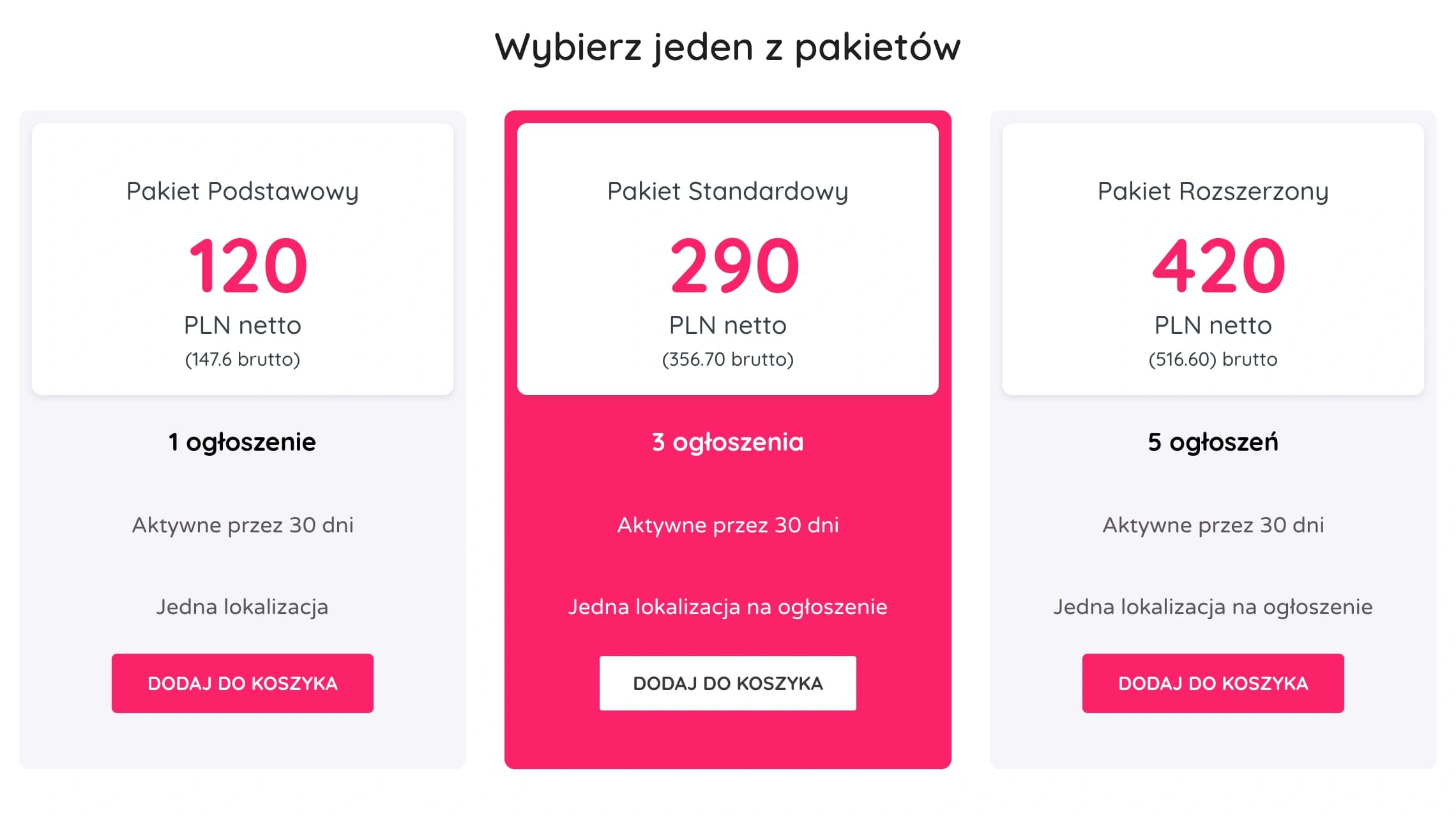
Paid listings & WooCommerce package flow
Job posting is gated behind a prepaid package system using the WC Paid Listings add-on for WP Job Manager.
Rather than letting users reach the job submission form and encounter a paywall there, they are redirected to /job-packages/ before the form loads if they have no available spots. This check also intercepts the duplicate action.
A custom WooCommerce account endpoint (/my-account/packages/) gives employers a dedicated page listing their packages and remaining spots. A cart icon with a live item count is injected into the header navigation.
An edge case required special handling: when a user posts their last available job, they are redirected to the packages page with no indication their submission succeeded. I solved this by setting a PHP session flag on job_manager_job_submitted and checking it on the packages page to conditionally render a success notice.
Custom email notification system
WP Job Manager and WooCommerce both include email systems, but they did not cover all the notification scenarios needed, especially a daily digest of new job applications grouped by employer. To solve this, I built a standalone system with a custom Carbon Fields admin panel under Email Notifications. It supports four notification types: job approval, job disapproval, CV or resume approval, and a daily applications digest. Each notification can be enabled or disabled from the admin panel and from a per user Settings page added to the WooCommerce account menu.
Email content supports simple template tags such as [job-title], [expiration-date], and [job-offers], which are replaced when the email is sent. The daily digest runs through a WP-Cron event. It checks employers for jobs that have new job_application posts and sends a single batched email per employer. Applications already included in a notification are tracked using the _notified_new_applications post meta.
Social login with role selection
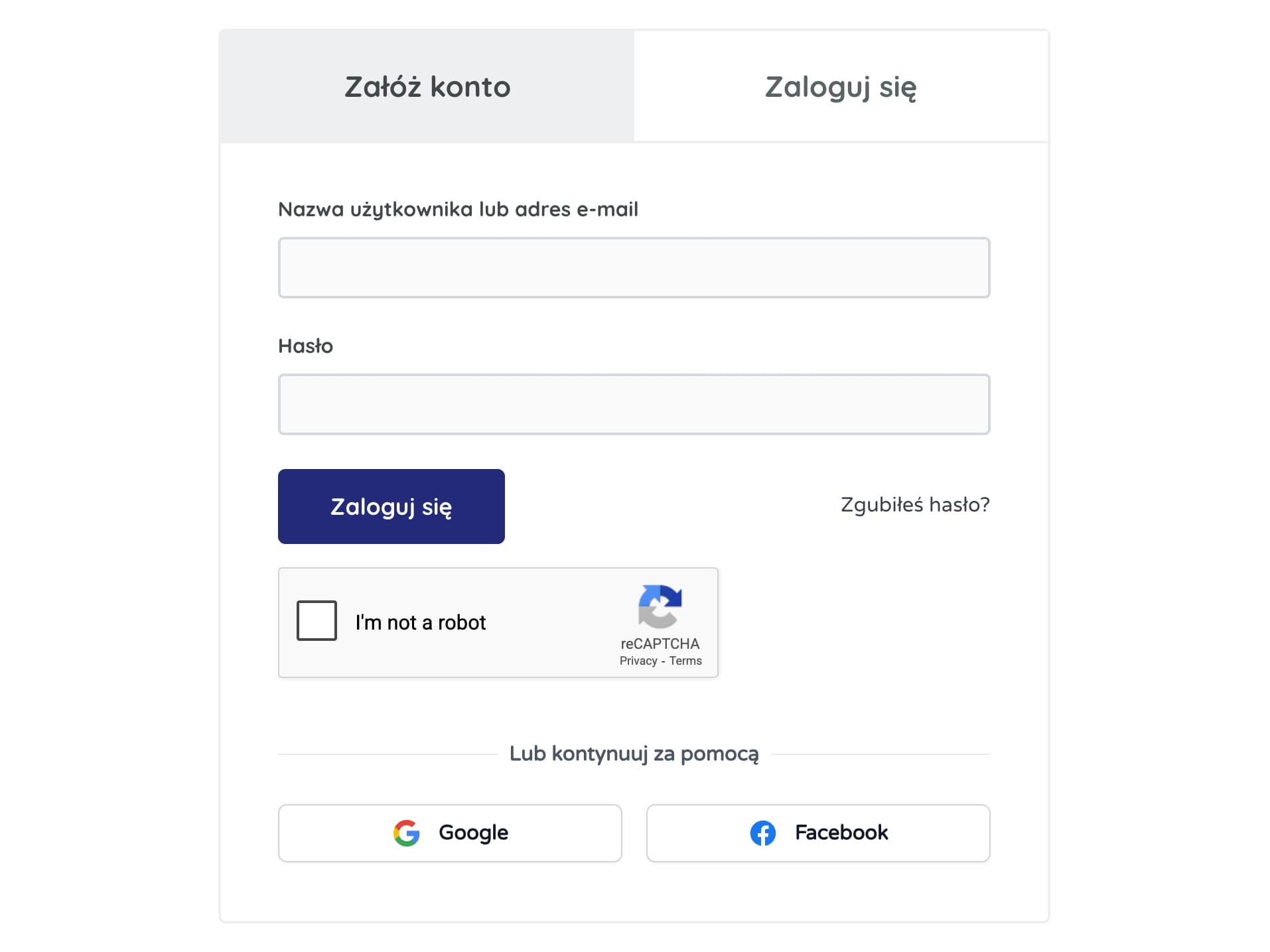
Google and Facebook OAuth were implemented. The main challenge was that the site has two user roles, Employer and Candidate, which must be chosen at registration.
To solve this, the OAuth callback first creates the WordPress user without assigning a role. The user is then redirected to a role selection page. The chosen role is assigned only after the form is submitted. Google login is handled through a server side callback route registered with a custom rewrite rule google-oauth-callback. Facebook login uses a REST API endpoint /wp-json/jobhunt/v1/facebook-login that receives the token from the Facebook JS SDK, verifies it using the Graph API, and then logs the user in or registers them.
SMS phone verification via Twilio Verify
Employer accounts can optionally be required to verify a phone number before posting a job. The implementation uses the Twilio Verify API. All OTP sending and code verification happens server-side via Twilio's SDK, so no verification logic runs on ZdalnaPraca's own servers.
Rate limiting is enforced in user meta, allowing a maximum of one SMS per minute and three per day. Code submission is limited to three attempts per session, after which the session is cleared and a new verification is required. Phone numbers are validated in E.164 format before any API call is made:
private function phone_number_valid(string $phone): bool
{
    return (bool) preg_match('/^+[1-9]d{9,14}$/', $phone);
}
Before sending a code, the system checks whether the number is already verified on another account. This prevents silent account takeover through phone verification. The entire feature can be enabled or disabled independently, and all database columns and logic remain in place even when disabled.
Company identity & NIP validation
To reduce fake or misleading employer listings, the job submission form introduces a Post as toggle between Individual and Company / Entrepreneur. When posting as a company, a NIP (Polish tax identification number) field is required and validated server-side using the official weighted checksum algorithm before the form can be submitted.
On the archive listing side, company name and tagline are only rendered for jobs where _job_posting_as is set to company. This logic is applied consistently in both the single job view and listing loops.
PDF invoice generation
Polish accounting law requires a VAT invoice for every B2B purchase and for most B2C purchases. Since WooCommerce does not generate invoices natively, I built a standalone plugin called wc-order-invoices that generates, stores, and delivers PDF invoices entirely server side.
On the checkout page, two fields are added through woocommerce_checkout_fields: a Buy as selector (billing_buyer_type: Company / Entrepreneur or Individual person) and a NIP tax ID field (billing_nip). When Company is selected, company name and NIP become required and are validated server side. When Individual is selected, the company fields are cleared and first and last name become required. JavaScript controls the conditional visibility of these fields, and both fields are also available in the WooCommerce order admin.
PDF invoices are generated using Dompdf loaded through Composer. When an order is completed (woocommerce_thankyou), the plugin renders templates/invoice-template.php, passes the HTML to Dompdf with the DejaVu Sans font for Polish characters, and saves the file to wp-content/../../invoice-{order_number}.pdf.
The template displays seller details, the WooCommerce formatted billing address, and the NIP number when _billing_buyer_type is company. The line item table shows net price, VAT rate and amount, and the gross total per item. The order total is also converted to Polish words using the kwn/number-to-words library, and dates are formatted with IntlDateFormatter using the pl_PL locale.
Customers can download the invoice from their order details page through a Download invoice button. The button triggers a nonce protected AJAX request that streams the PDF with the correct headers. On the order received page, a link redirects users to the View order page where the download button appears. Invoices are also attached to the customer_completed_order and customer_invoice emails using woocommerce_email_attachments, generating the file automatically if it does not already exist.
inFakt accounting integration
While wc-order-invoices generates customer facing PDFs, Polish accounting law also requires invoices to be recorded in a bookkeeping system. ZdalnaPraca uses inFakt, a Polish cloud accounting platform. I built a second custom plugin called wc-infakt-integration that synchronises WooCommerce orders with inFakt through their REST API, creating a legally registered invoice in the accounting system for each paid order.
The plugin includes an inFakt Settings admin page built with Carbon Fields. It provides sandbox and live mode switching, separate API keys, bank details for invoice payments, an optional product name suffix, and a debug mode that logs API requests and responses. A webhook URL is displayed for registration in inFakt, and a verification mode can echo back the verification_code challenge during webhook setup.
Invoice management is integrated directly into WooCommerce orders through an inFakt Invoice meta box. It shows a Create Invoice button if none exists, Check Status Now when processing, or the invoice UUID with a Download Invoice link once created. Bulk invoice creation is available from the orders list, and a custom inFakt Invoice column shows status labels such as Added, In progress, Failed, or Pending.
The invoice creation process checks the billing_buyer_type meta to determine whether the invoice is B2B or B2C. Company orders use client_company_name and client_tax_code. Individual buyers use a cached inFakt client ID stored in a custom {prefix}infakt_client_id table keyed by name and email. If no match exists, a new client is created through POST /api/v3/clients.json and the ID is stored to prevent duplicates. Order items are mapped to inFakt services with net prices in grosz (1/100 PLN), quantity, VAT rate from the order tax items, and discounts when present.
Invoice creation in inFakt is asynchronous. The request POST /api/v3/async/invoices.json returns an invoice_task_reference_number. The plugin stores this reference in database and polls the status endpoint once. The final result arrives through a webhook at /wp-json/../../v1/webhook. When an async_invoice_creation_success event is received, the plugin finds the related order and saves the final _infakt_invoice_uuid. Admins can then download the PDF directly from the order screen through GET /api/v3/invoices/{uuid}/pdf.json. Any API errors, validation issues, or missing billing data are saved in _infakt_invoice_error post meta and displayed in the order meta box so the admin can correct the data and retry.
SEO infrastructure
Slim SEO is used because it is lightweight and not bloated. Several structural SEO issues required custom fixes on top of what the plugin provides out of the box.
Paginated archive pages, URL filtered search pages (e.g. ?query_type_job_salary=25-50), and company profile pages were generating incorrect or redundant canonical tags. These were corrected or removed via slim_seo_canonical_url filters, scoped to the relevant page types. The XML sitemap was also restricted to job pages, categories, tags, and city pages only. User profiles, search result pages, and WooCommerce product URLs were excluded.
rel="prev" and rel="next" pagination links, which are not output by Slim SEO for non-singular pages, in a custom class that extends Slim SEO's internal Context trait to resolve the correct base URL for each page type before building paginated hrefs.
JobPosting schema.org structured data was added to all job listing pages following Google's Rich Results specification. Fallback values such as "confidential" for hiringOrganization are used to keep the markup valid when optional fields are missing.
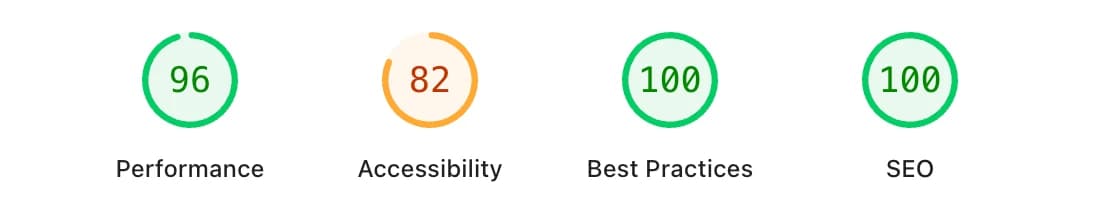
Performance
A few targeted optimizations keep page load times low despite the complexity of dynamic filtered pages:
- The parent theme's main stylesheet is replaced with its minified version (
style.min.css) at enqueue time infunctions.php. - Google Fonts are dequeued from the theme's default registration and re-enqueued with <link rel="preconnect"> hints and a combined font URL, reducing render-blocking requests.
- The theme's Google Maps geocomplete script is conditionally disabled on pages where it is not needed, removing an unnecessary third-party payload from most page loads.
- RSS feeds are disabled site wide as they are not used, eliminating feed related query overhead on every request.
- Database index keys were added to
_job_locationandjob_group_idpost meta columns to support theLIKEcity queries and group ID lookups throughout the site without relying on object caching.
Seeding & Content strategy
The problem
Launching a job board with zero listings is a chicken and egg problem. This is classic cold-start dilemma: without listings, there will be no traffic; without traffic, no employers will post listings.
The solution
Build an automated aggregation pipeline to collect and import job listings from other job listing aggregators.
The aggregation pipeline consists of two sub-scripts: the aggregation script and the import script. The aggregation script is built in Node.js using Puppeteer and uses rotating proxies to avoid blocks. It runs in headless mode and stores the collected listings in a SQLite database.
The import script is built in PHP and inserts the collected listings from the database into the site.
Both scripts run on the server and can be launched either by running them directly or via a server cron job at set intervals.
The result
ZdalnaPraca launched with real content, giving search engines something to index from day one.